
Adding Notes
Write a quick note that's saved to the client as a Word document.
Add a note
- Open the client and click Add Note.
- Give the note a Title 1, choose its Class, Subclass and Year, and type the note in Content 2.
- Click Save Note 3. CPA Retain shows Note created successfully.
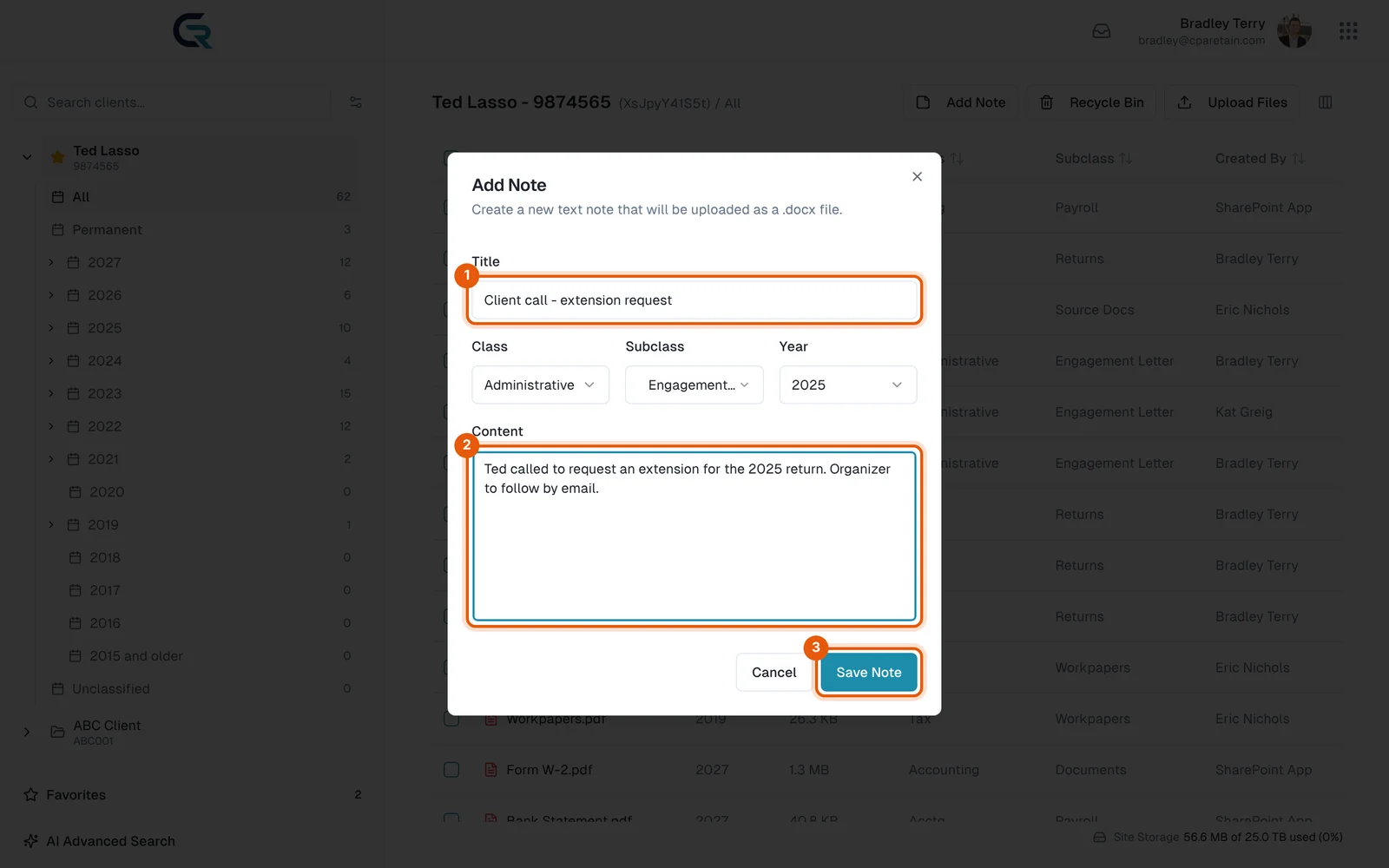
The note is saved to the client as a Word document named after its title, for example Client call - extension request.docx, and appears in the document list like any other file.