Connecting SharePoint
Connect Microsoft 365, choose the hub site, and sync your client sites into CPA Retain.
Open SharePoint configuration
Go to Admin → SharePoint → Configuration. It has three tabs: Connect, Hub Site and Sites.
Connect Microsoft 365
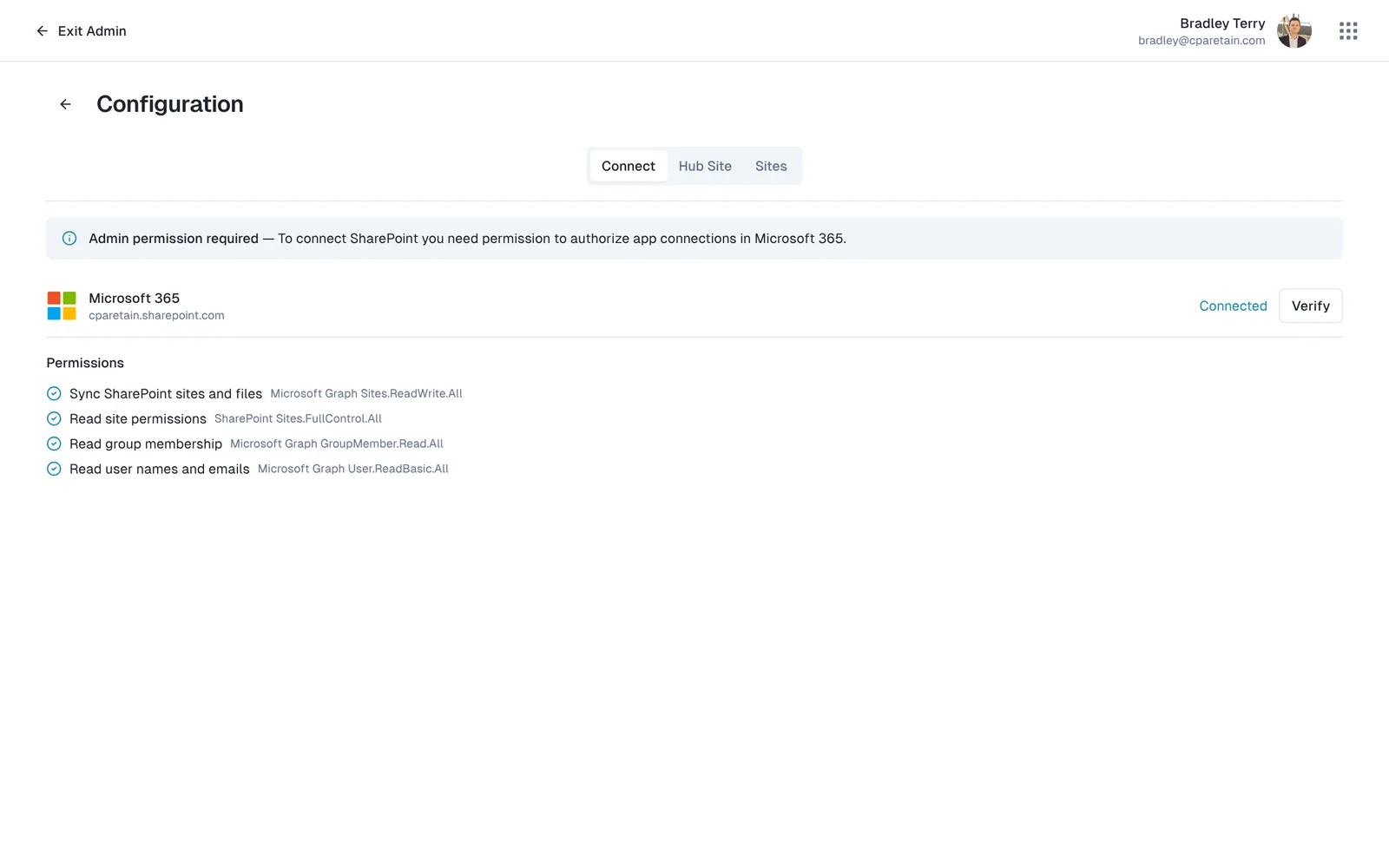
- On Connect, click Connect next to Microsoft 365 and approve the permissions in Microsoft. You need permission to approve app connections in Microsoft 365, usually a Global Administrator.
- When it shows Connected, check the Permissions list. Each permission should have a tick. Click Verify to re-check at any time.
Choose the hub site
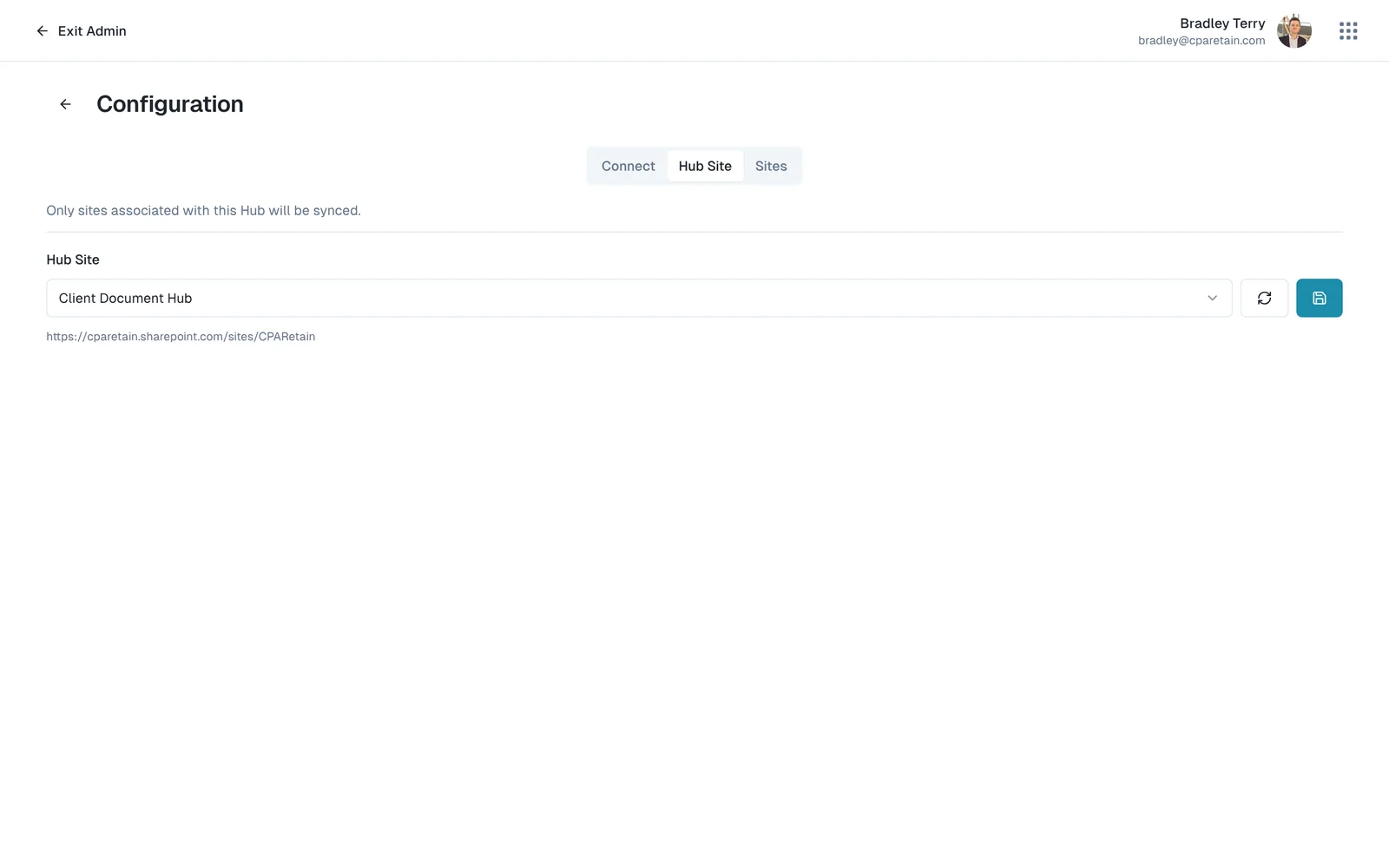
On Hub Site, choose your firm's SharePoint hub in Hub Site and save. Only sites associated with this hub are synced.
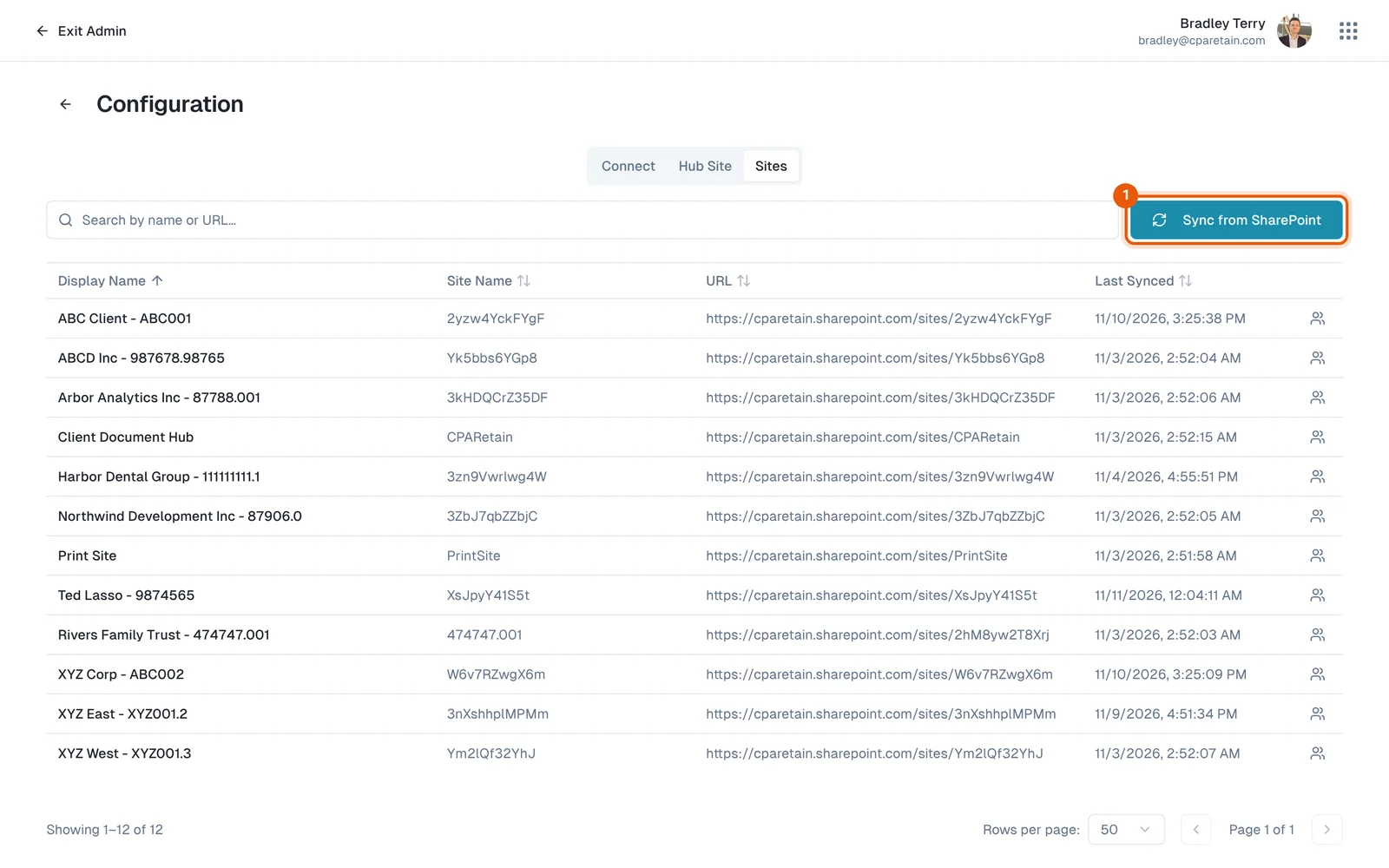
Sync sites
On Sites, click Sync from SharePoint 1. CPA Retain imports the client sites under the hub, then their files. Progress shows next to the tabs, and syncing keeps running if you leave the page.