
Customizing Document Columns
Choose which columns the document list shows, reorder them and sort by any column.
Choose columns
- Open a client and click the Columns icon 1 at the top right of the document list.
- Tick the columns 2 you want. Name is always shown.
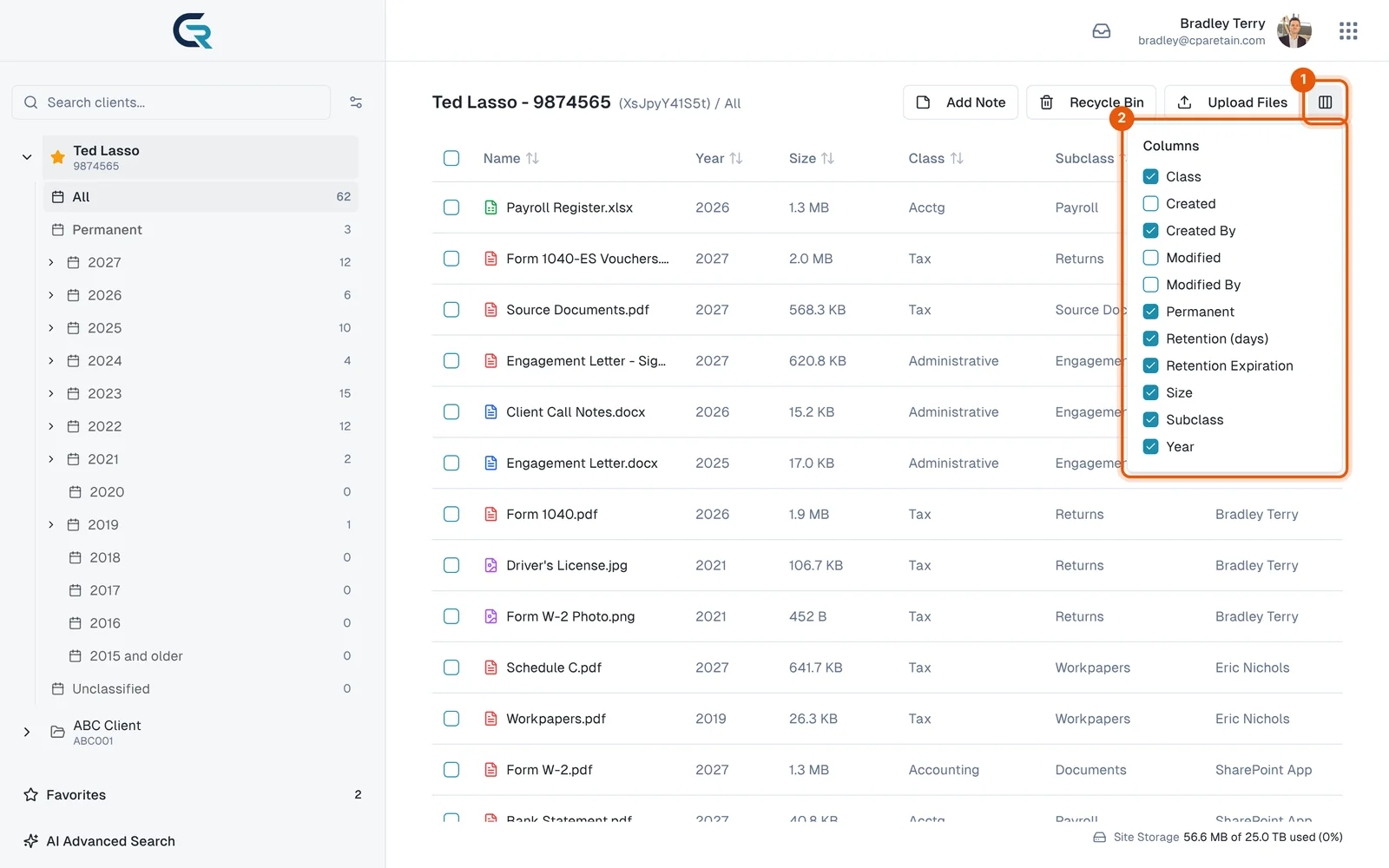
| Column | Shows |
|---|---|
| Class, Subclass, Year | The file's classification. |
| Size | File size. |
| Created, Created By, Modified, Modified By | When and by whom the file was added and last changed. |
| Permanent | Whether the file is kept permanently. |
| Retention (days), Retention Expiration | Your firm's retention period for the file and the date it expires. |
Reorder and sort
- Drag a column heading left or right to move it.
- Click a column heading to sort by it. Click again to reverse the order. Folders always stay at the top.