
How to Favorite Clients
Mark the clients you work with most as favorites and show just those in the left navigation.
How favorites work
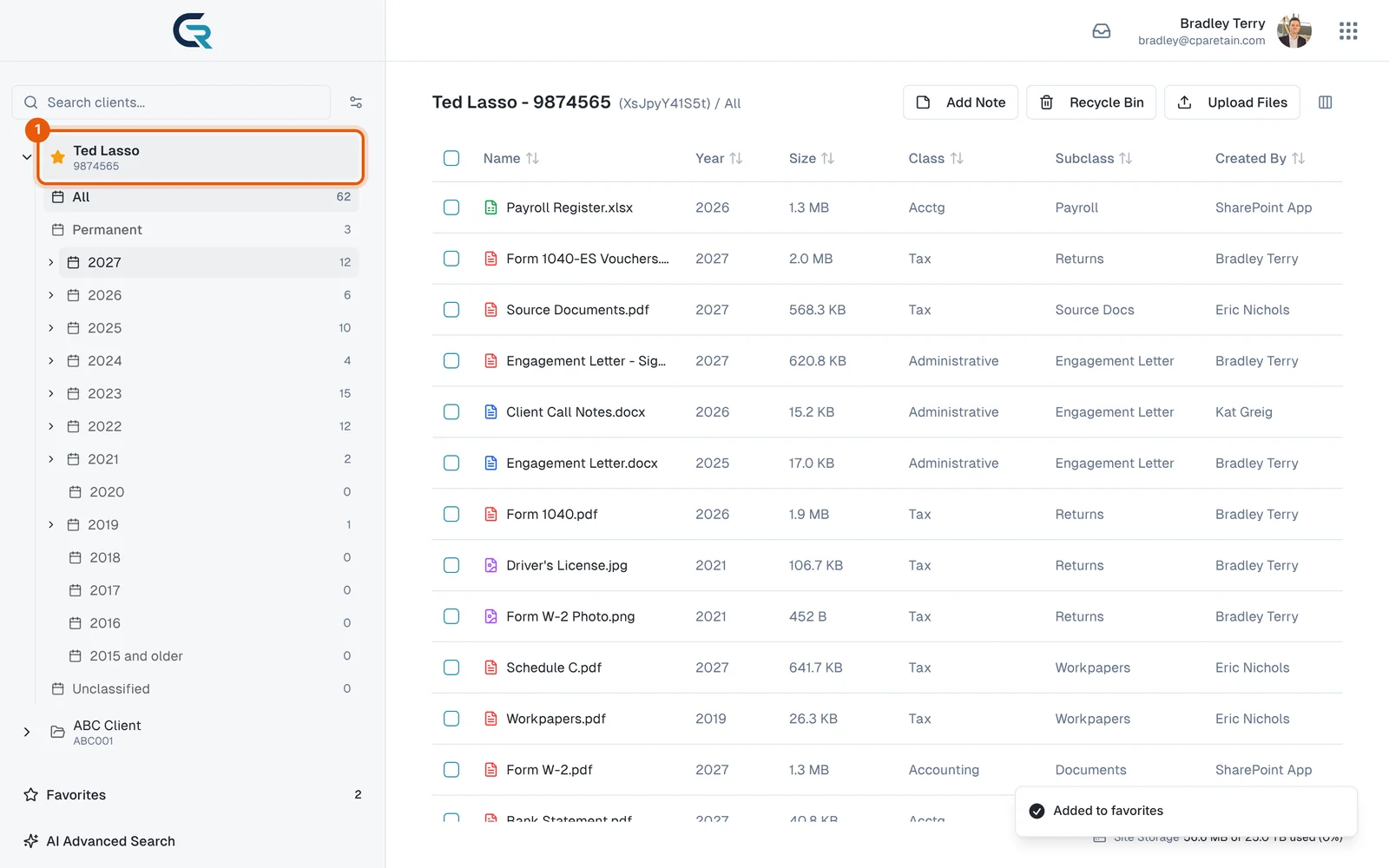
Favorite clients get a gold star in the left navigation, and the Favorites button shows just your favorites. Favorites are saved to your account, so they follow you to any computer you sign in on.
Add or remove a favorite
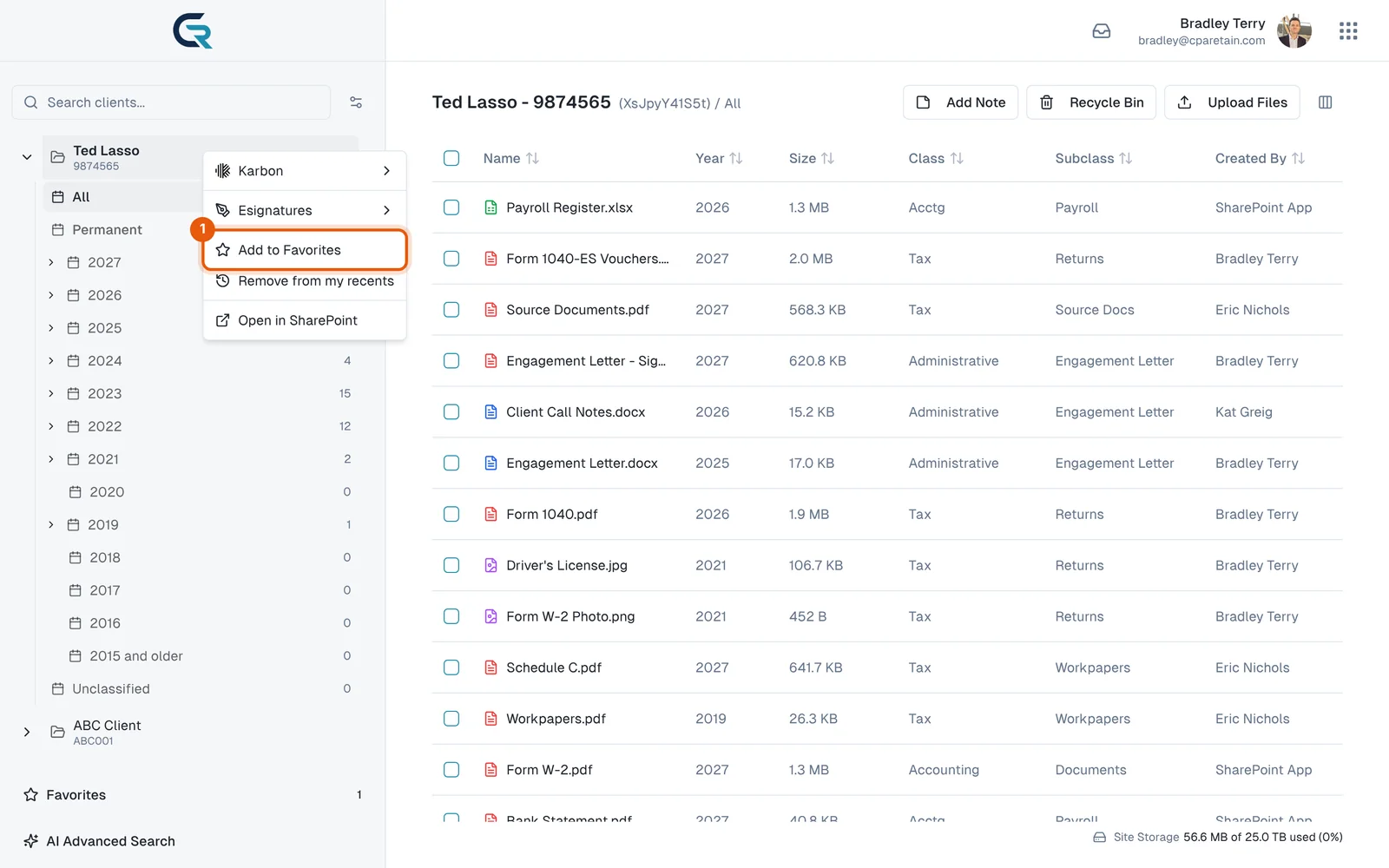
- In the left navigation, right-click the client and click Add to Favorites 1.
- CPA Retain shows Added to favorites, and the client gets a gold star next to its name 1.
To remove a favorite, right-click the client again and click Remove from Favorites.
Show only your favorites
- Click Favorites 1 at the bottom of the left navigation. The number next to it is how many favorites you have.
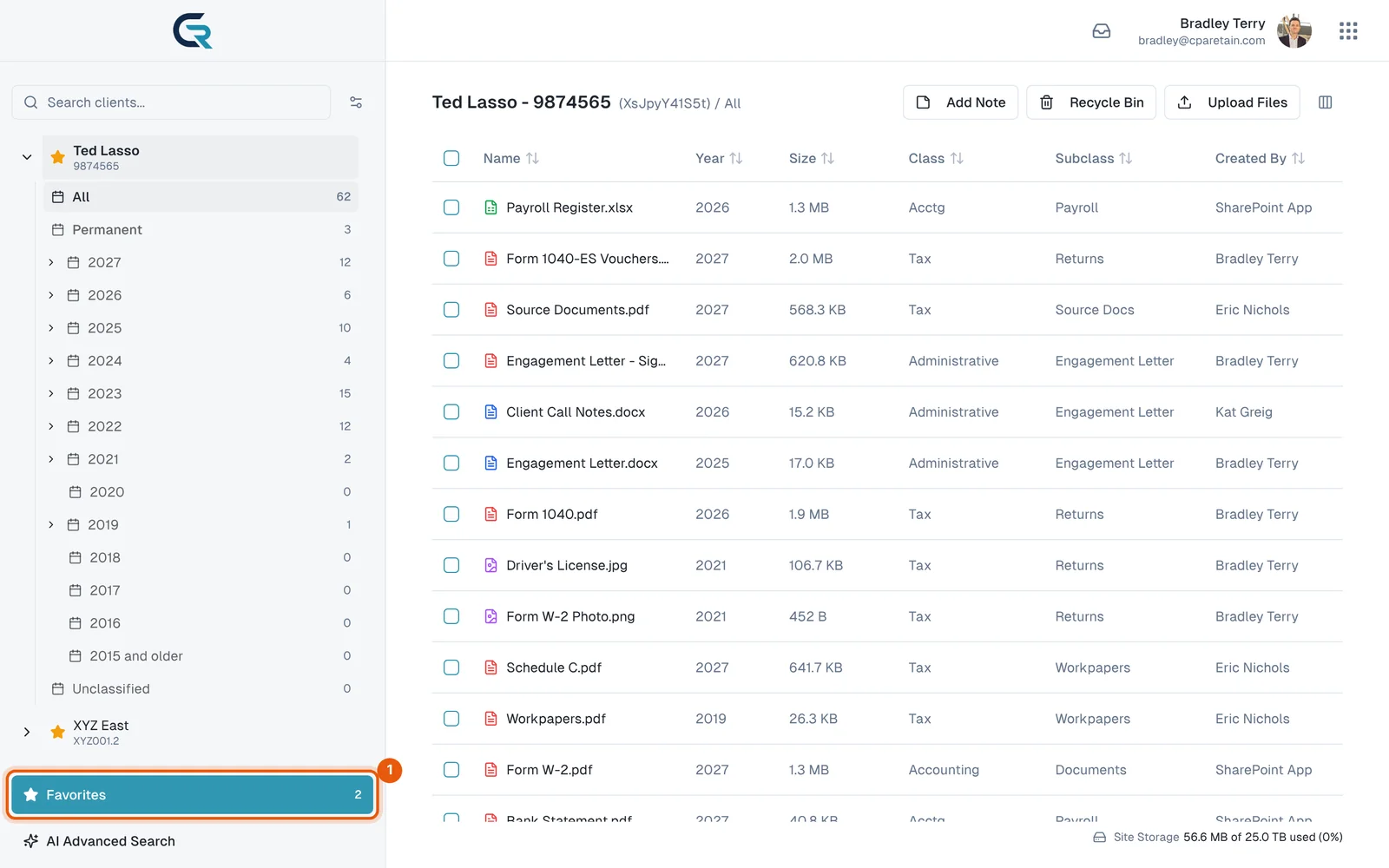
- Click Favorites again to show all your clients.