
Merging and Downloading PDF Files
Combine several of a client's files into one PDF and download it to your computer.
How Merge & Download works
Merge & Download combines the files you select into a single PDF and downloads it to your computer. Nothing is saved back to the client, and your original files stay where they are.
You can merge PDFs, images (JPG, PNG, GIF, WebP, BMP), Word, Excel and PowerPoint files, plus RTF, OpenDocument, HTML, Markdown, email (EML, MSG) and TIFF files.
Merge and download files
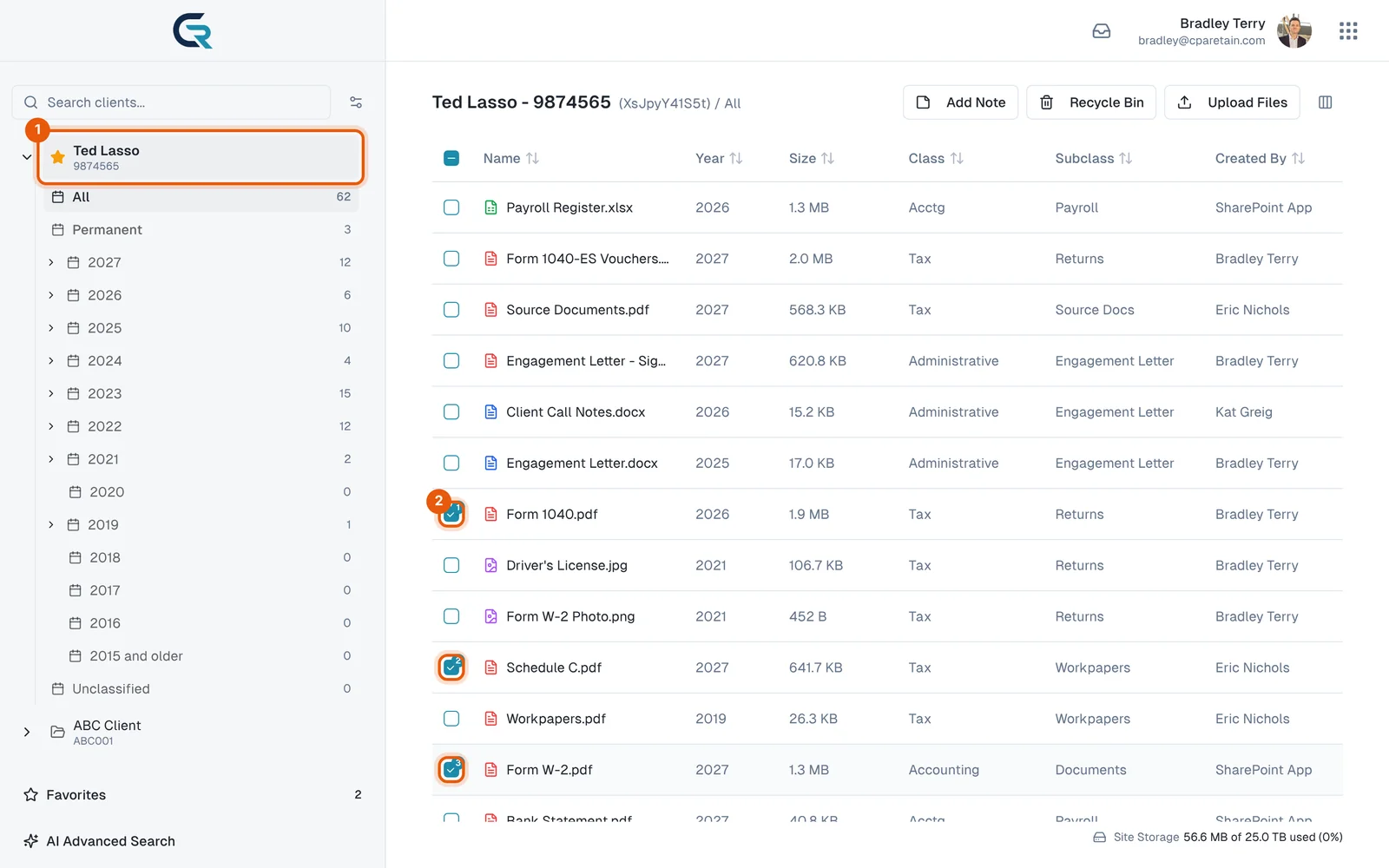
- In the left navigation, click the client 1. Then tick the box next to each file you want to merge 2, in the order you want them in the PDF.
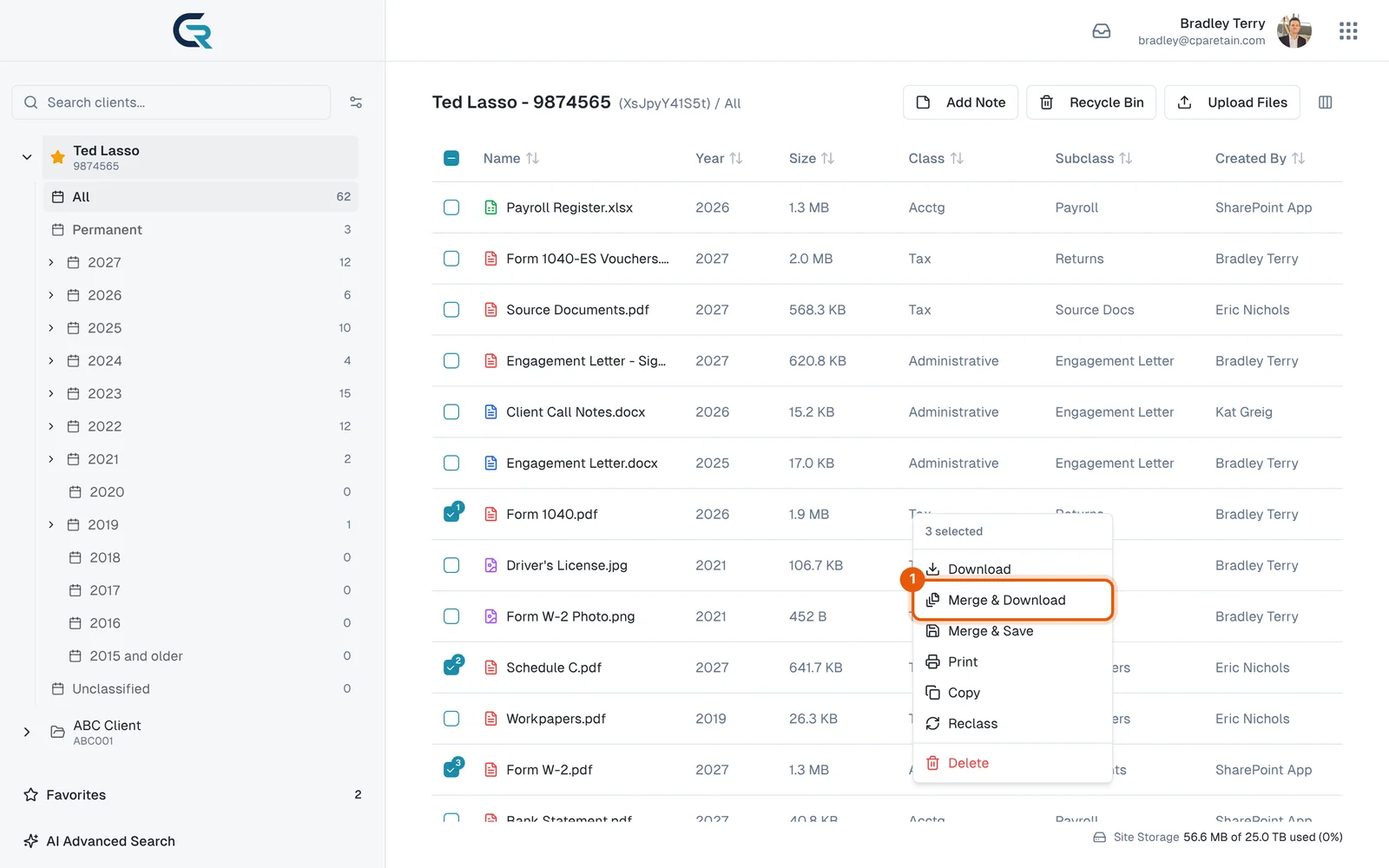
- Right-click any of the selected files and click Merge & Download 1.
If some of the selected files can't be merged, CPA Retain lists them in a Some Files Can't Be Merged dialog. Click Merge N files (for example Merge 2 files) to merge the rest, or cancel and change your selection.
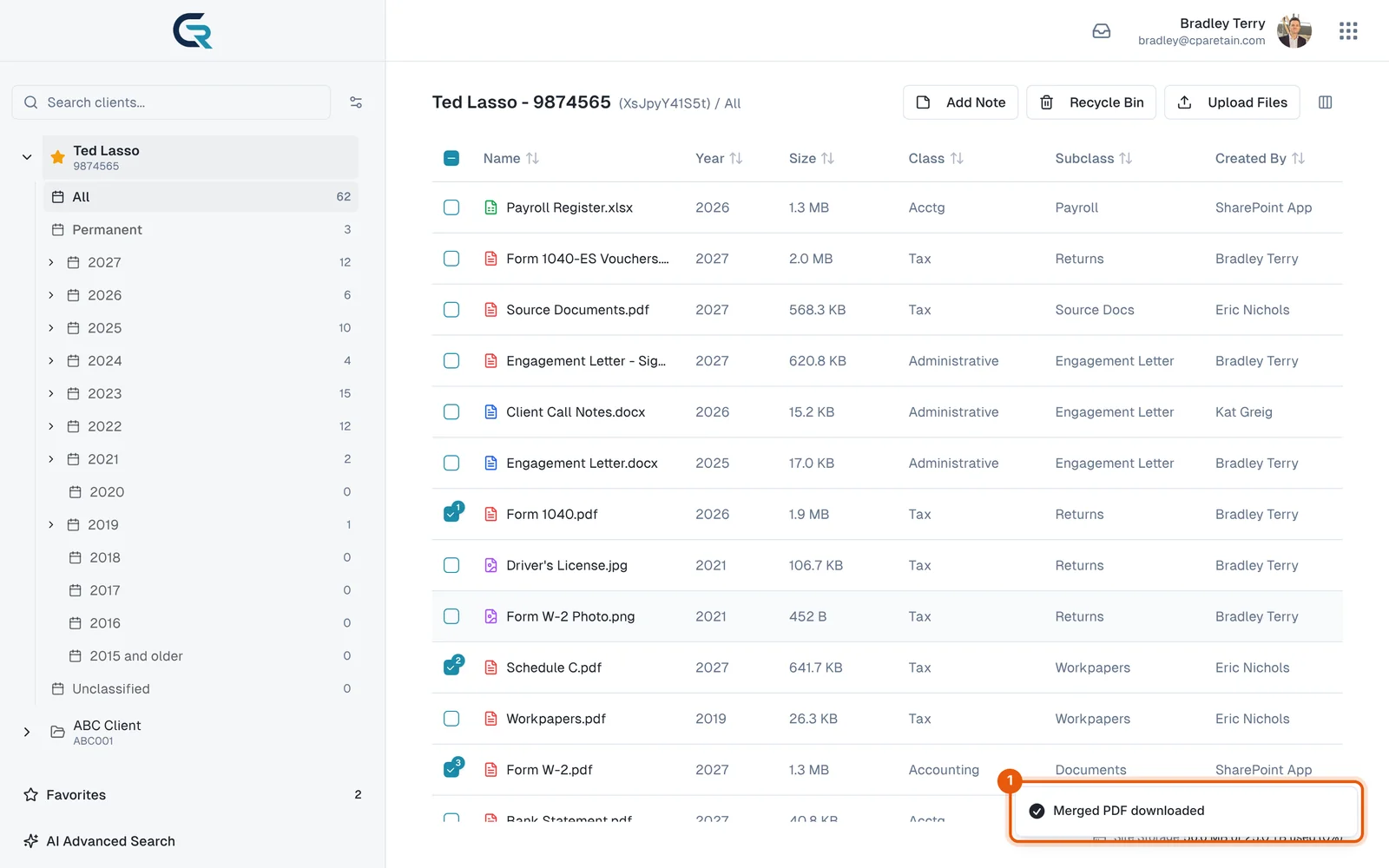
- CPA Retain shows Merging 3 files… while it works, then downloads the PDF and shows Merged PDF downloaded 1. The file is named
merged-plus today's date, for examplemerged-2026-11-10.pdf, and is saved to your browser's downloads folder.
Troubleshooting
| Problem | What to do |
|---|---|
| Merge & Download isn't in the right-click menu | Select at least two files that can be merged, then right-click one of the selected files. |
| "No mergeable files selected" | None of the selected files can be merged. Select PDFs, images, Office files or one of the other supported types listed above. |
| "Skipped file name" | That file couldn't be opened, so it was left out of the merged PDF. Open the file to check it, then merge again. |
| "Digital signatures were removed. The merged file is a working copy and is not a signed document." | One of the files was digitally signed. The merged PDF keeps the pages but not the signature, so keep the signed original. |
| "Failed to merge files" | Try again. If it keeps failing, merge fewer files at a time. |
| The PDF doesn't appear in your downloads | Check whether your browser blocked the download or asked where to save it, then merge again. |