Printing PDFs
Print several PDFs together as one print job.
Print several PDFs
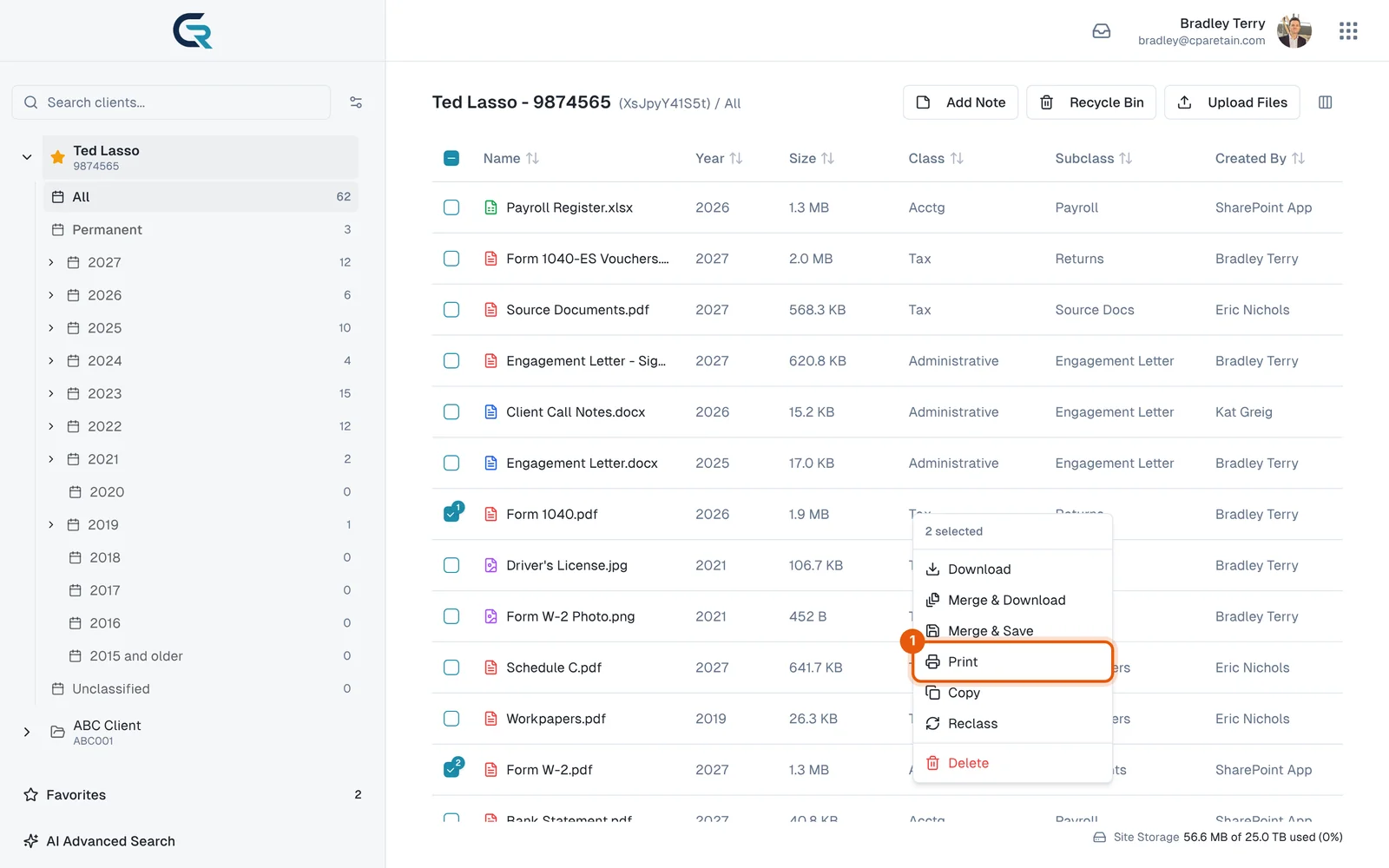
- Tick the PDFs you want to print, in the order you want them printed.
- Right-click one of the selected files and click Print 1.
- CPA Retain shows Preparing N PDFs for printing…, combines the PDFs into one, and opens your browser's print dialog.