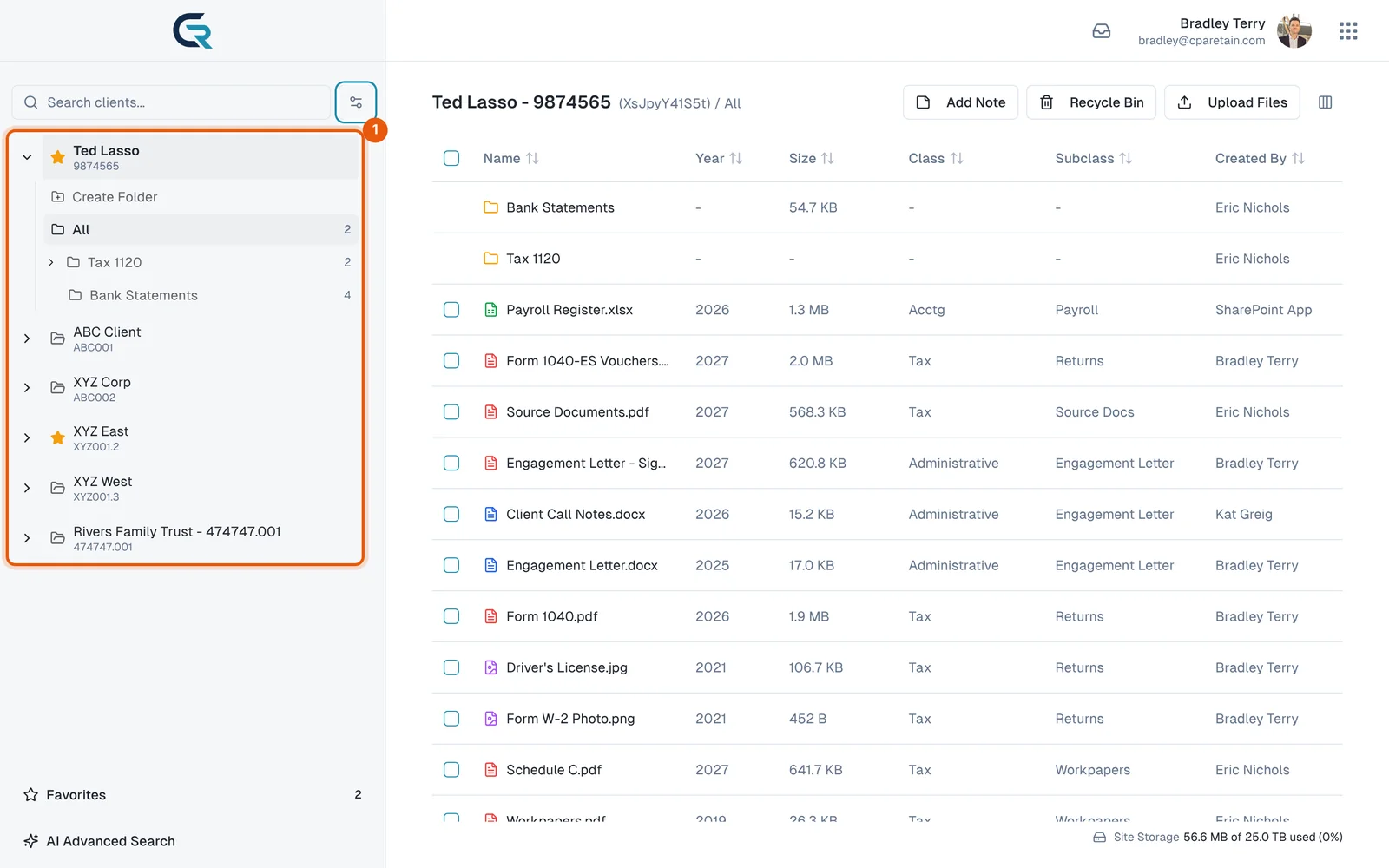
How to Switch Views in the Left Navigation
Show a client's files in the left navigation by year, by class and subclass, or by folder.
The three views
The left navigation can show each client's files three ways:
| View | Groups files by |
|---|---|
| Years | Tax year, with Permanent and Unclassified at the top and bottom. This is the default. |
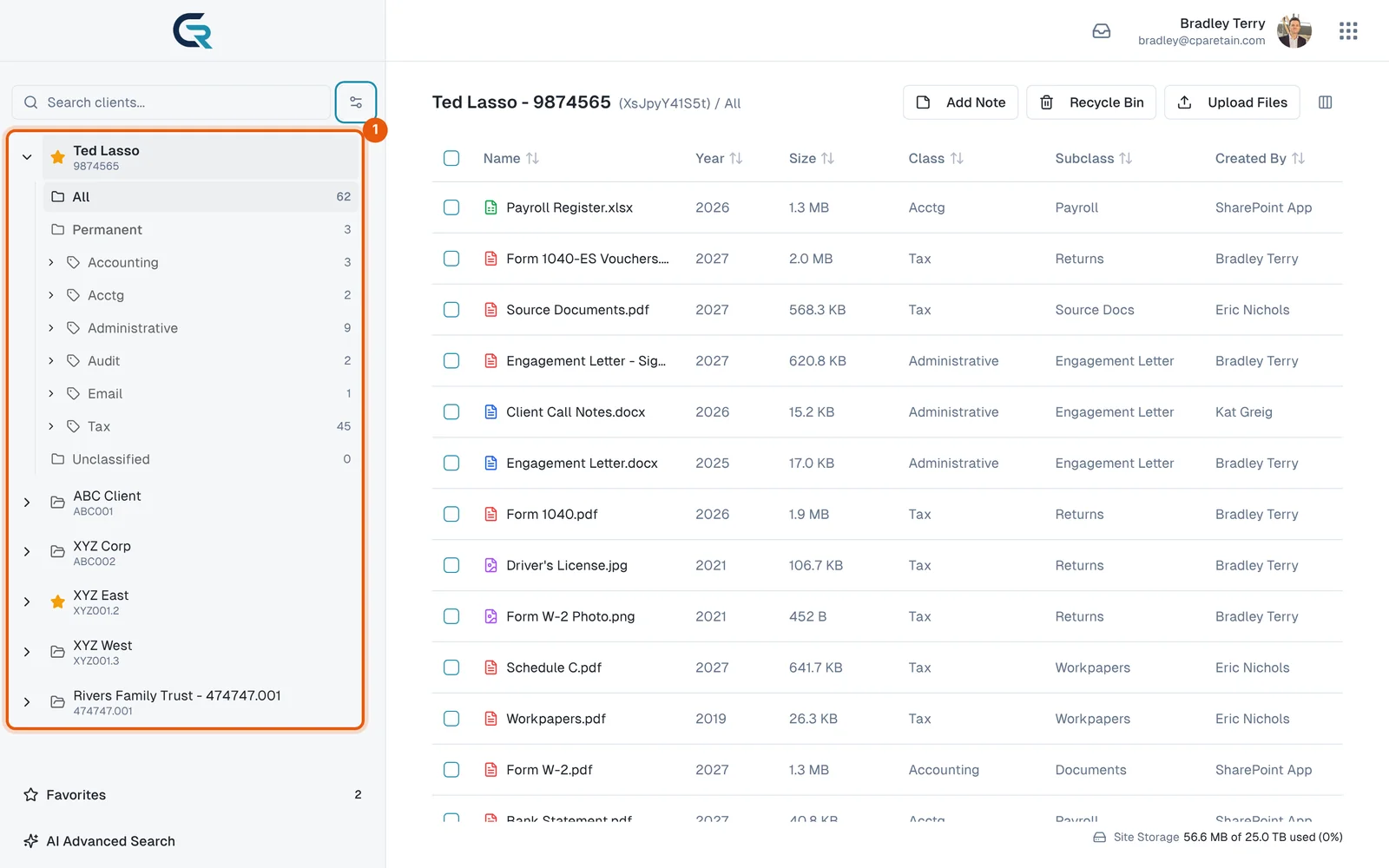
| Classes | Class (for example Tax or Administrative), each opening to its subclasses. |
| Folders | SharePoint folders, with Create Folder to add a new one. |
Change the view
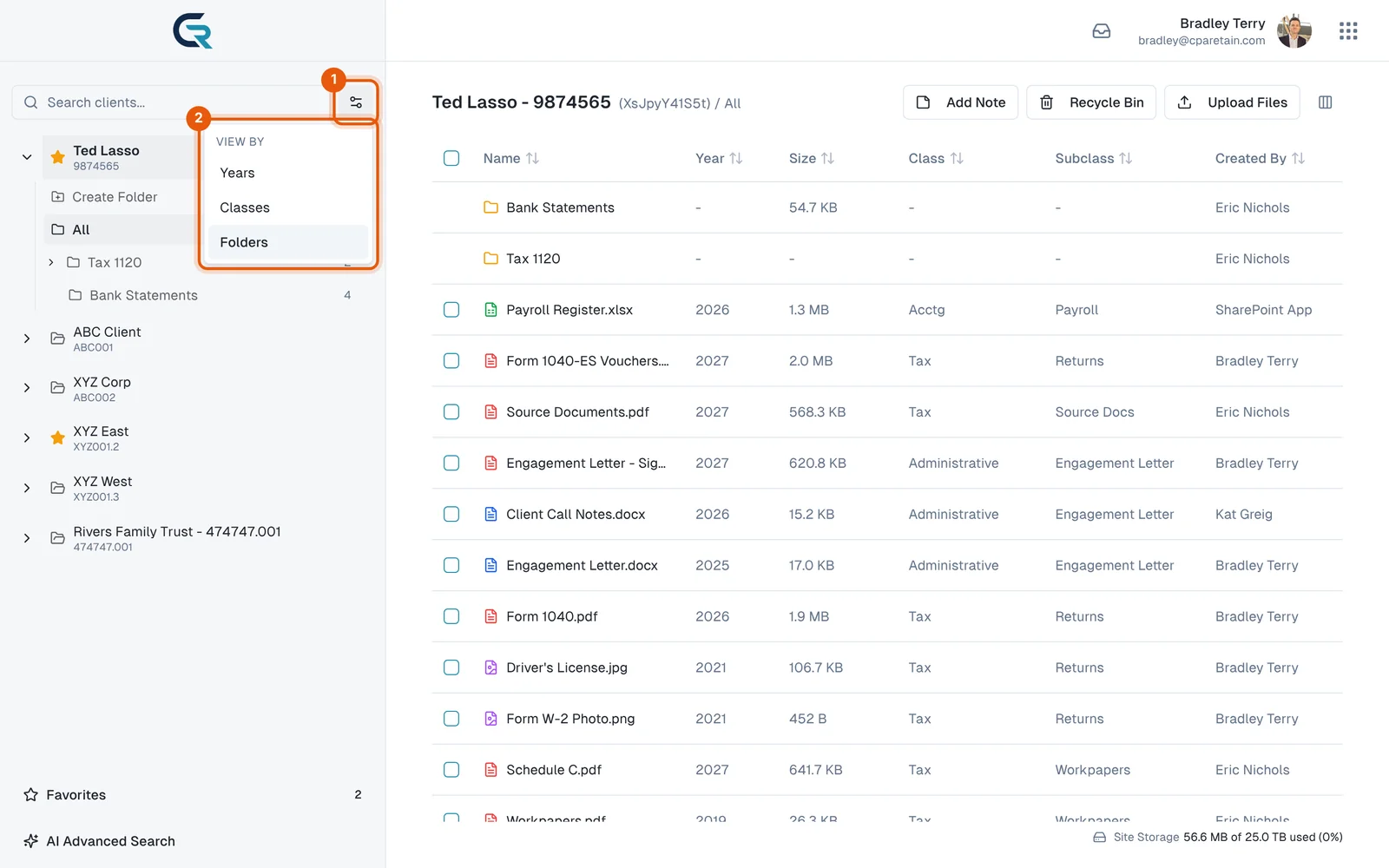
- Click the view button 1 next to Search clients…. Under View by 2, choose Years, Classes or Folders.
- The left navigation switches straight away. In Classes, each class opens to show its subclasses.
In Folders, you see the client's folders. Click Create Folder to add one.