
Retention Policies
Delete documents automatically after a set number of days, by class and subclass.
How retention works
A retention policy deletes documents of a given class (and optionally subclass) a set number of days after they were created. Deleted documents go to the client's SharePoint site recycle bin, where they can be restored. Manage policies in Admin → Document Settings → Retention Policies.
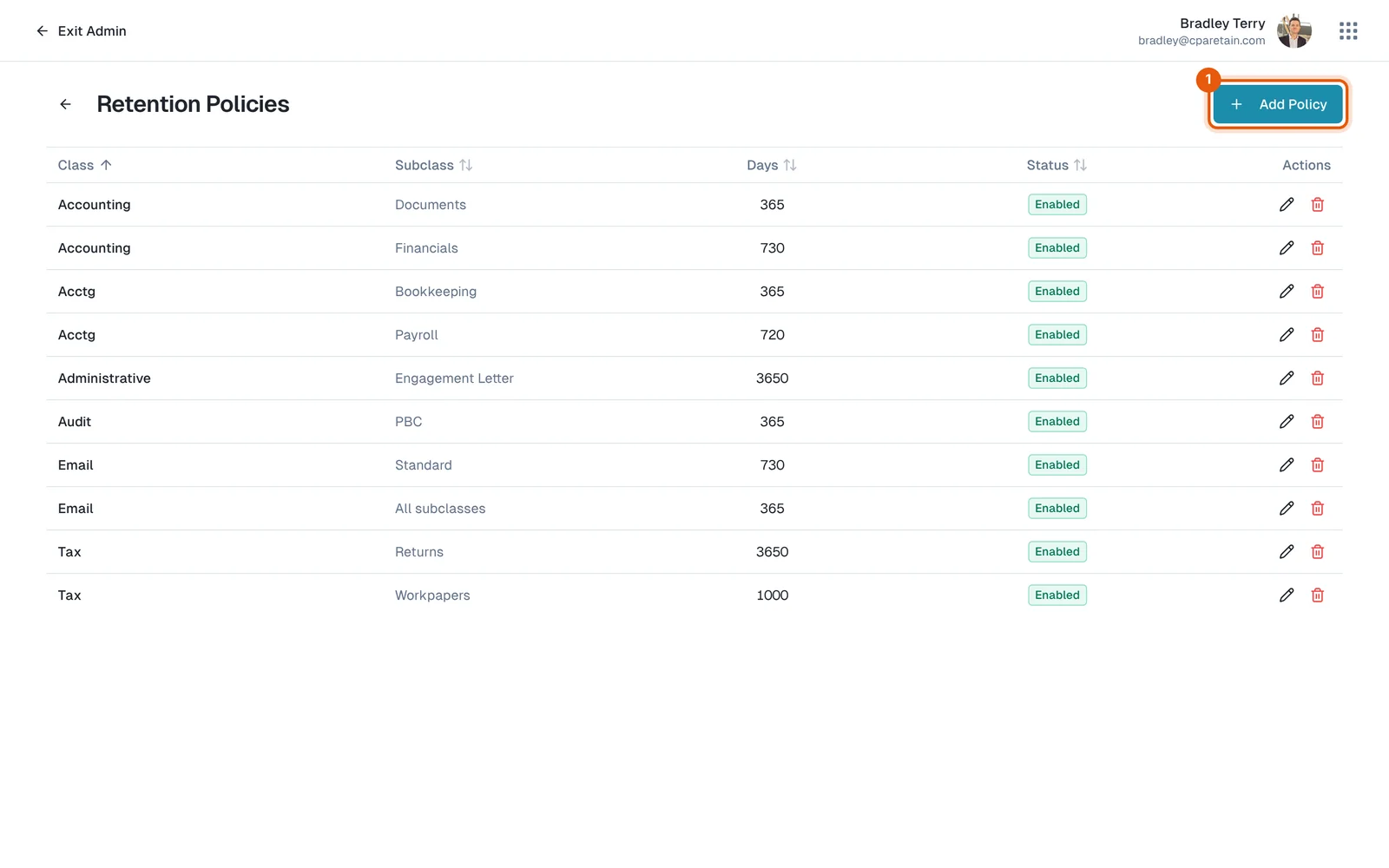
- A subclass policy overrides a policy for the whole class.
- Permanent documents are never deleted.
- Staff can see each file's Retention (days) and Retention Expiration by turning on those columns.
Add a policy
- Click Add Policy 1.
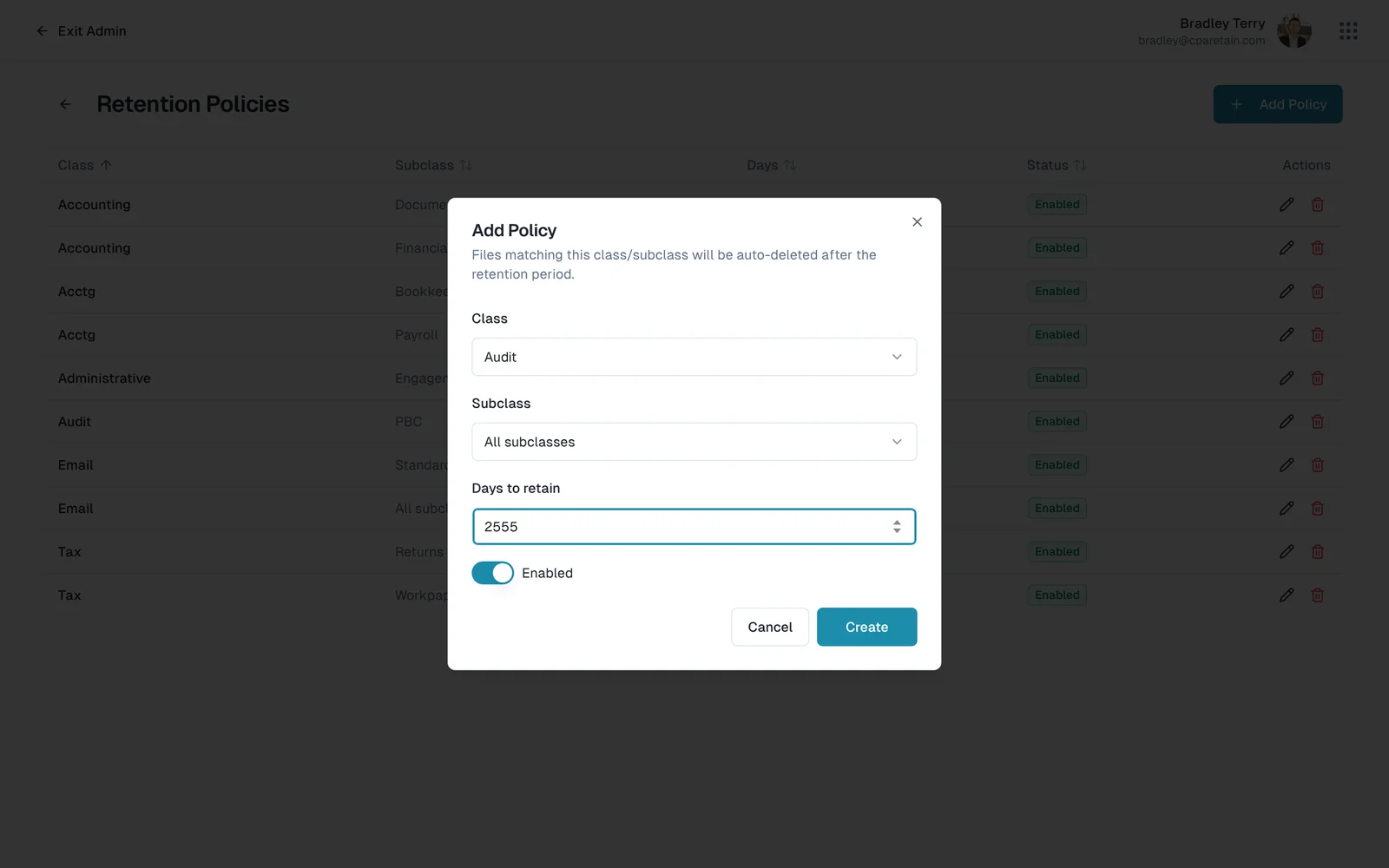
- Choose the Class and, optionally, a Subclass (or leave All subclasses).
- Enter Days to retain, for example
2555for about seven years. - Leave Enabled on and click Create.
Restore a document deleted by retention
Documents removed by a retention policy are sent to the client's SharePoint site recycle bin, not deleted permanently. To get one back, open the client, click Recycle Bin, and click Restore next to the document. See Deleting and Restoring Files.